Advanced FPS Counter
A tiny performance HUD you ship inside the build: frame rate, frame time, memory and a full device readout, on every platform.
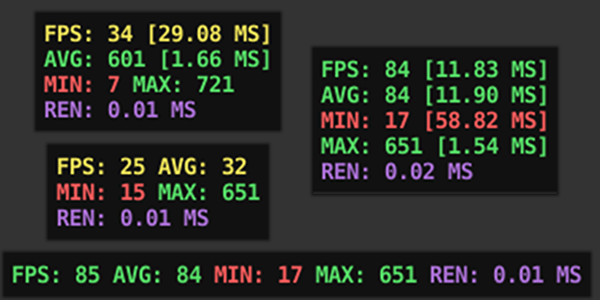
Three readouts, one overlay
Frame rate
- FPS, frame time (ms)
- Average, min / max
- Color thresholds you set
- Force-FPS for testing
Memory
- Total, allocated, mono
- Graphics driver memory
- Spot leaks as they grow
Device info
- OS, CPU, GPU, RAM
- Screen & model
- Attach it to bug reports
In the build, not just the editor
The Unity Profiler stops at your desk. Advanced FPS Counter runs inside the shipped build, on the actual phone, headset or console where the frame drops happen, so QA and testers can read real numbers in the field. Anchor it anywhere, style it, toggle it with a hotkey or a screen gesture.
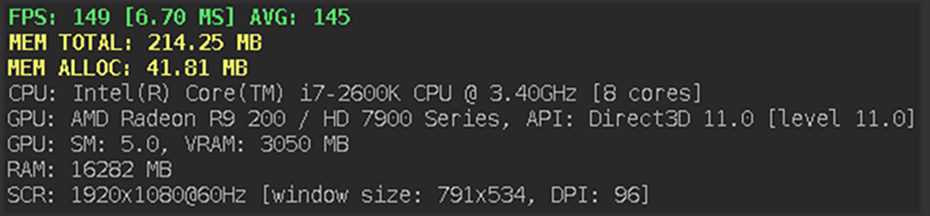
Everything at onceEvery readout switched on, the way it looks in a running build. 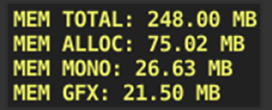
Memory counterTotal, allocated, mono and graphics driver memory, so a leak shows up as it grows. 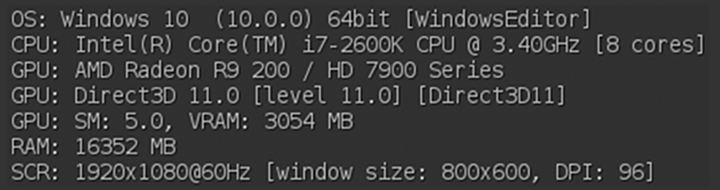
Device informationThe hardware the build is actually running on. Handy to paste into a bug report. 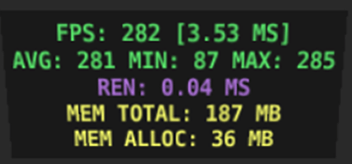
In VRThe same overlay inside a VR scene, where dropped frames are hardest to ignore.
vs a free counter
| Advanced FPS Counter | Free counters | |
|---|---|---|
| FPS + frame time | Yes | Usually |
| Memory + full device info | Yes | Rarely |
| Runs in shipped build | Yes | Varies |
| Full source + author support | Yes | No |
Good to know
How do I add it to a scene?
One call, AFPSCounter.AddToScene(), or the editor shortcut. Then toggle it at runtime with a hotkey or gesture.
Will it hurt performance?
It's built to be light. You choose the update interval and which readouts are on, per platform.
Does it work on mobile and VR?
Yes, PC, mobile, consoles, VR and WebGL, on Mono and IL2CPP with stripping.
Measure where it matters
The low-friction way to see real frame data in the actual build. Full C# source, actively maintained.
Get Advanced FPS Counter